Keep your place in large sets
Virtual scrolling and a flexible grid keep large folders manageable.

ErabiGrid for Windows
Free + Pro
ErabiGrid is a Windows app for comparing images, searching prompt text, classifying with the keyboard, and moving files safely from one screen. Classification alone never moves a file.
Basic viewing, click selection and moves are free. Two-to-four image comparison and classification into slots 1–9 are paid Pro features. Open “Proを見る” in the base app to review current pricing and terms in the official Store dialog. Number keys assign destinations; they do not move files by themselves.
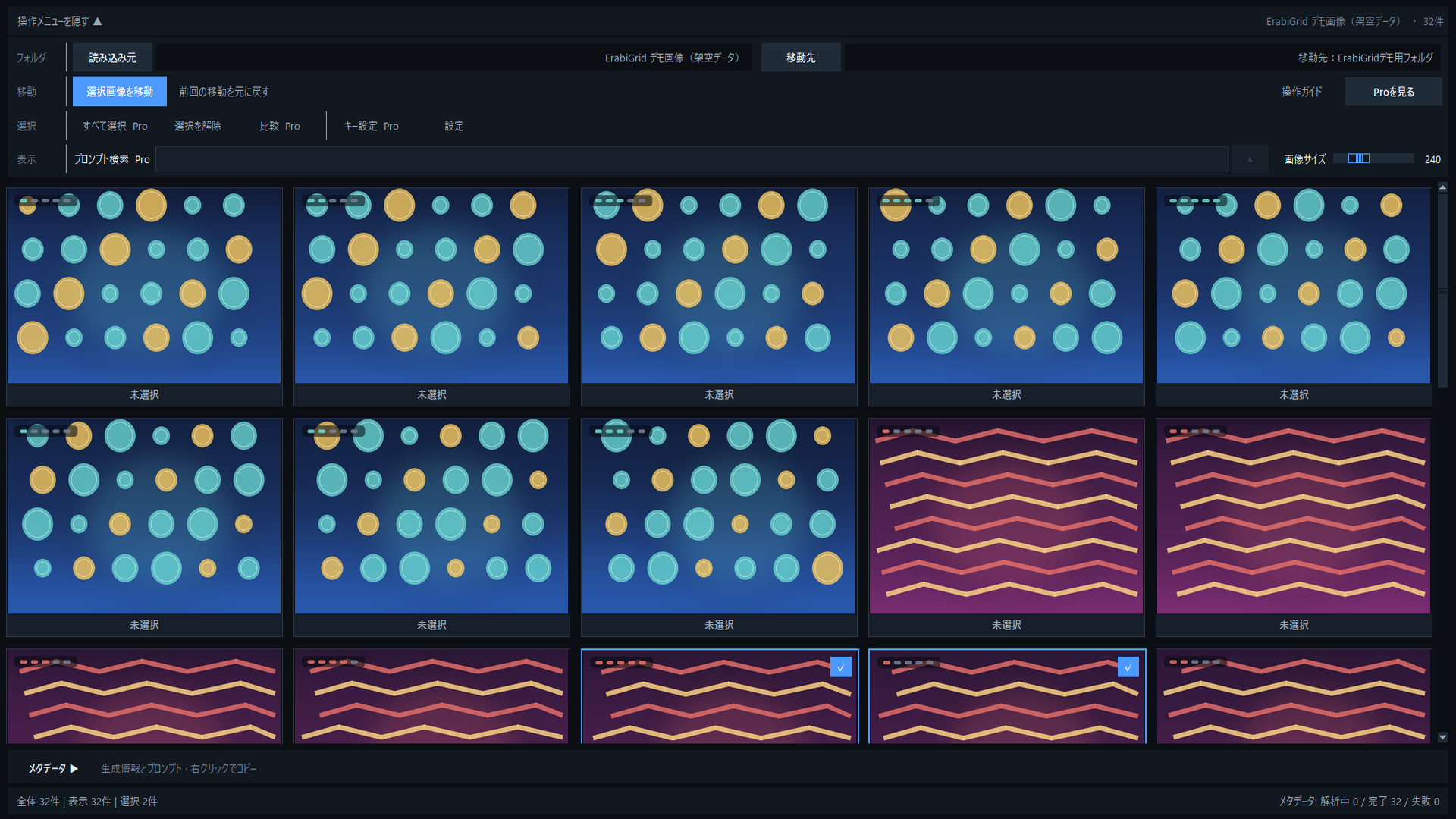
Stay focused on the edit
Replace repeated Explorer trips with a workflow centered on the images themselves.
Virtual scrolling and a flexible grid keep large folders manageable.
Number-key assignments do not move files. Nothing moves until you run the dedicated move action.
Search prompt text and embedded metadata when visual scanning alone is not enough.
Product tour
The Pro classification and comparison screenshots are reference material from the 25 September confirmation build. Their capture time is unknown; current Pro operation, unlock and restore have not been verified.
See more and pick faster
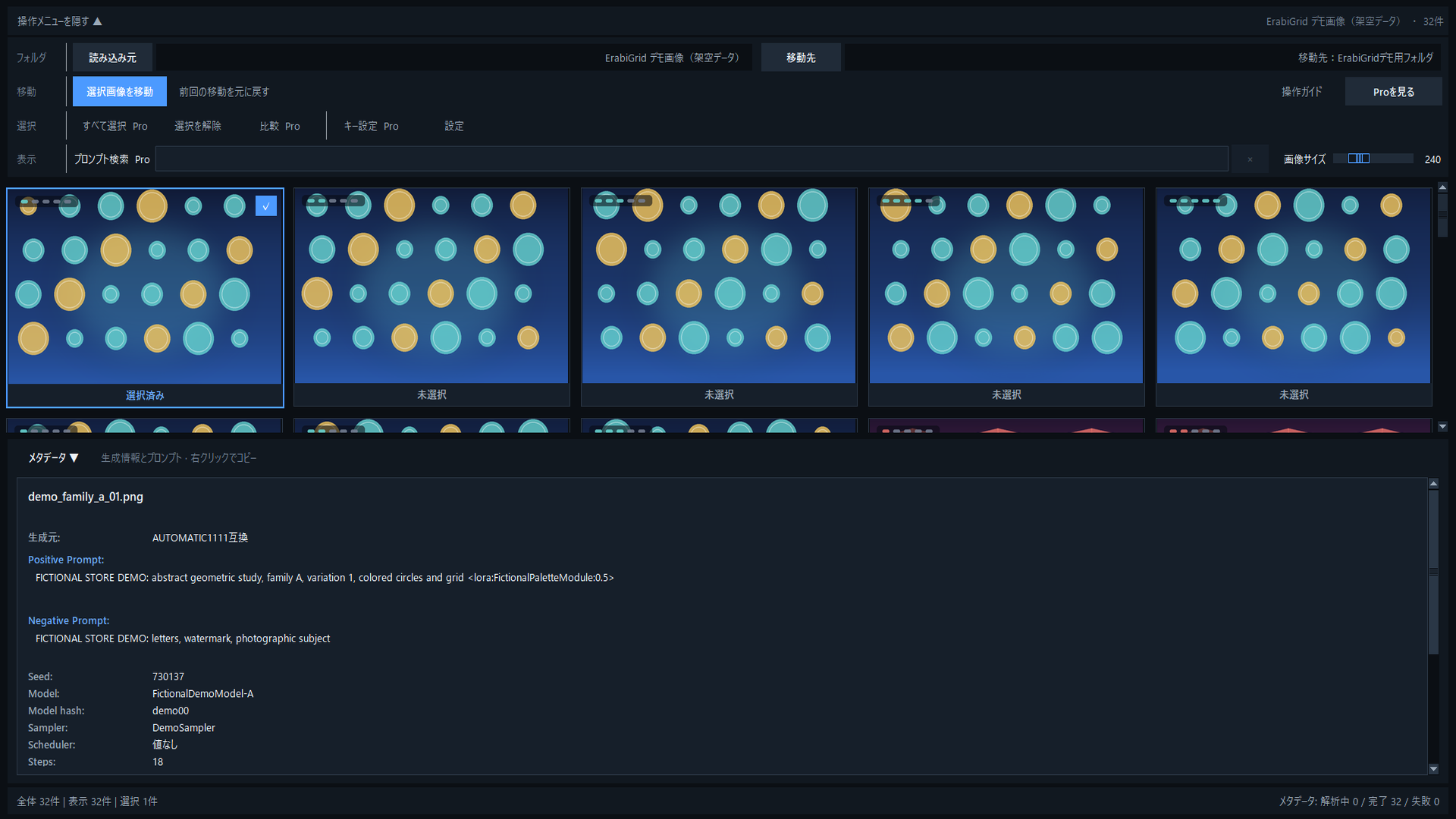
Image and metadata together
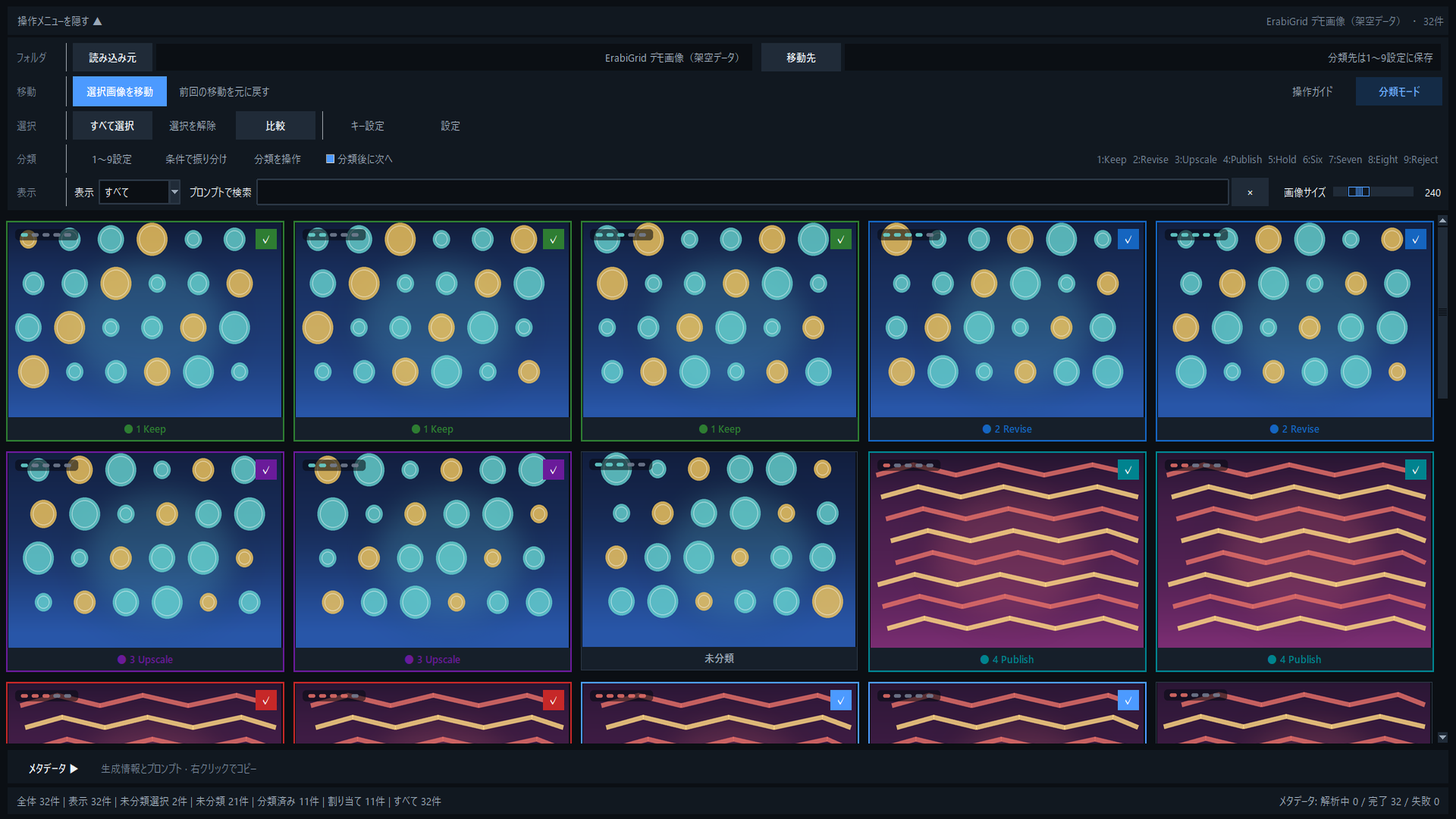
Sort into slots 1–9
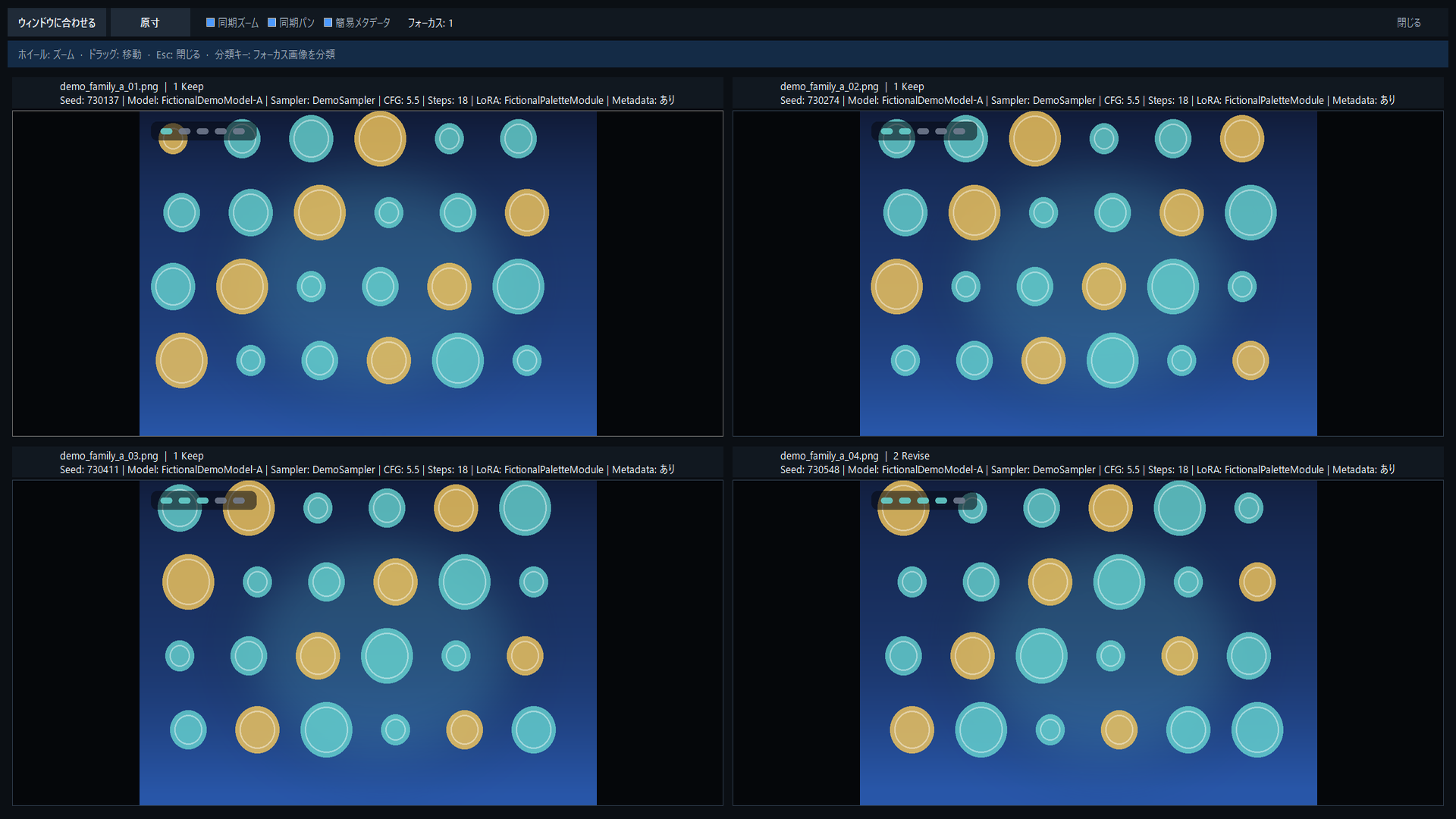
Compare similar results
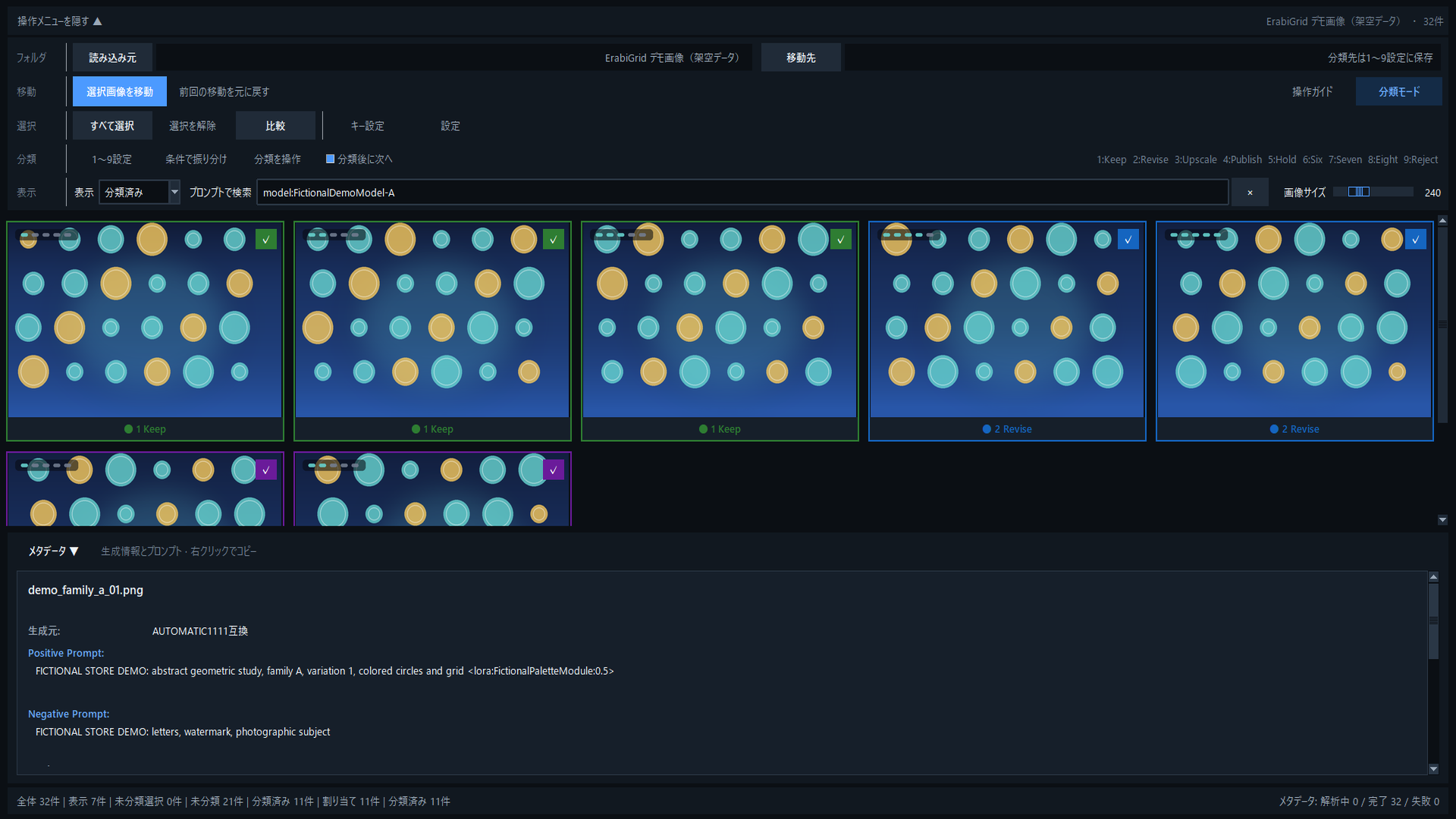
Filter by prompt
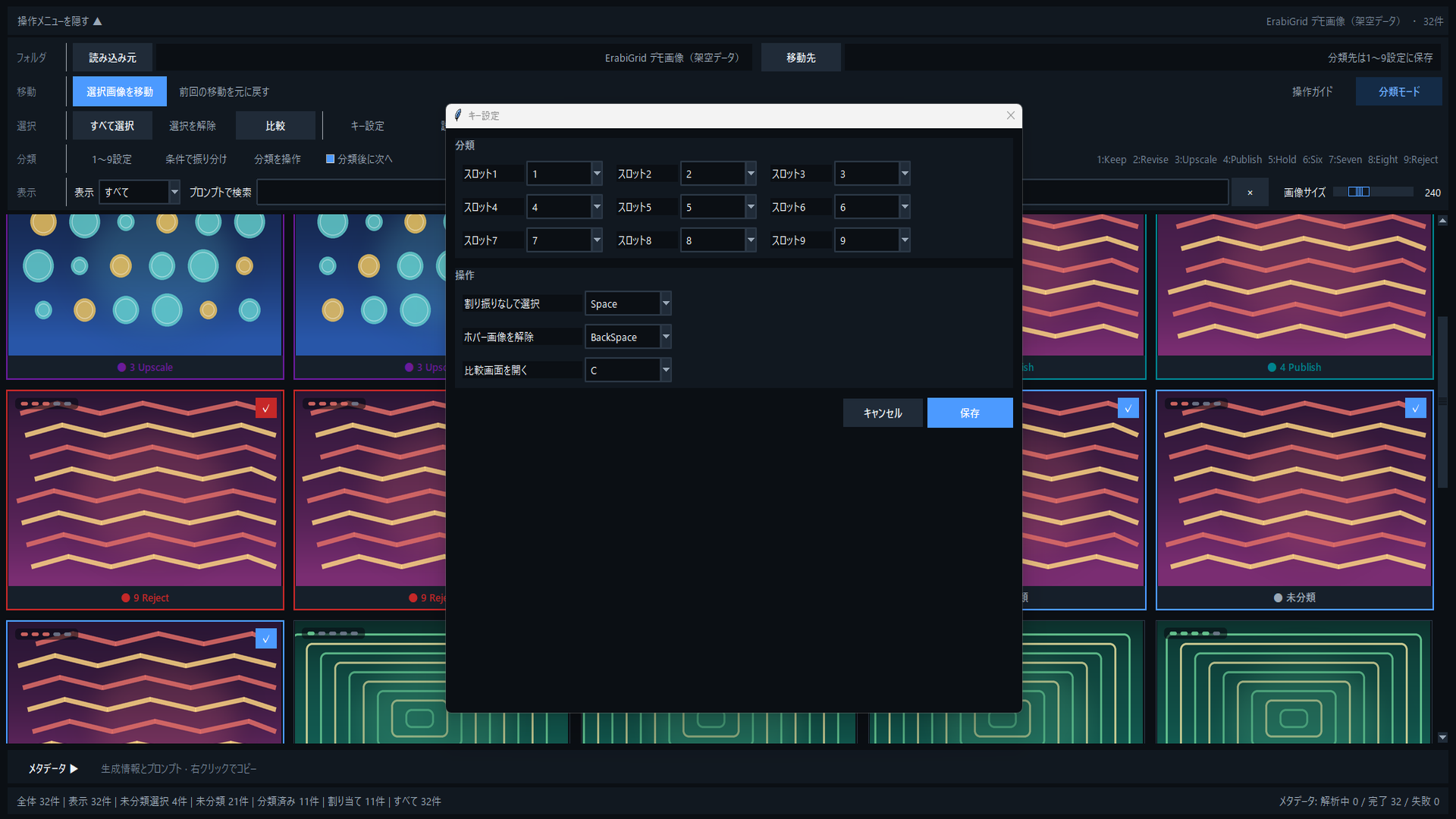
Make the controls yours
How it works
Review the grid and set its size or filters for the current job.
Combine clicks, range selection, number keys, and prompt search.
Confirm destinations and run the move. Files never move just because you classified them.
Built for real collections
Standard features do not upload images or prompts to an external analysis service.
Same-folder protection, partial-failure reporting, and interrupted-operation review make outcomes visible.
ErabiGrid Pro is a one-time purchase. Review current pricing and terms through “Proを見る” in the free base app.
Keep an independent backup of important images. Move reversal is not a substitute for a backup.
Free / Pro
Use Free for basic selection and safe moves. Pro unlocks the tools that accelerate larger sessions.
| Feature | FreeCore tools | ProOne-time purchase via the app |
|---|---|---|
| Safe moves and partial-failure reporting | ||
| Preview, zoom, and thumbnail sizing | ||
| Basic metadata view | ||
| Mouse range selection | ||
| Classification mode with slots 1–9 | ||
| Two-to-four image comparison | ||
| Prompt search and metadata rules | ||
| Configurable keys |
Requirements
Windows 10 version 1809 or later, or Windows 11, on x64. The current 1.0.0 app UI and support are Japanese. SSD storage and comfortable free space are recommended for large collections.
Review full requirements →FAQ
No. Classification assigns a destination. Files move only when you explicitly run Move Selected Images.
Standard features run locally and do not upload them to an image-analysis service. The Microsoft Store build may check license status at startup and when the user chooses to buy or restore Pro. A purchase dialog opens only after explicit user action.
No. It is a one-time purchase. Open “Proを見る” in the free base app to review current pricing and terms in the official Microsoft Store dialog.
No. Keep an independent backup of important images outside ErabiGrid.
Yes. Test core selection, preview, and safe moves in Free, then unlock range selection, classification, comparison, prompt search, and more with Pro.
The current 1.0.0 app UI and support are Japanese. The English product page does not indicate an English-language app interface.
Still unsure? Contact support.
ErabiGrid Pro
Get the free base app, then review the Pro purchase terms through “Proを見る” if you need the paid features.